Claude Code on mobile
Keep Claude Code running on your computer and check sessions, approvals, and token usage from iPhone or Android.
The agent workspace
Claude, Codex, and OpenCode sessions across your Mac and Linux projects — live status, full transcripts, and replies from your phone, in a single view.
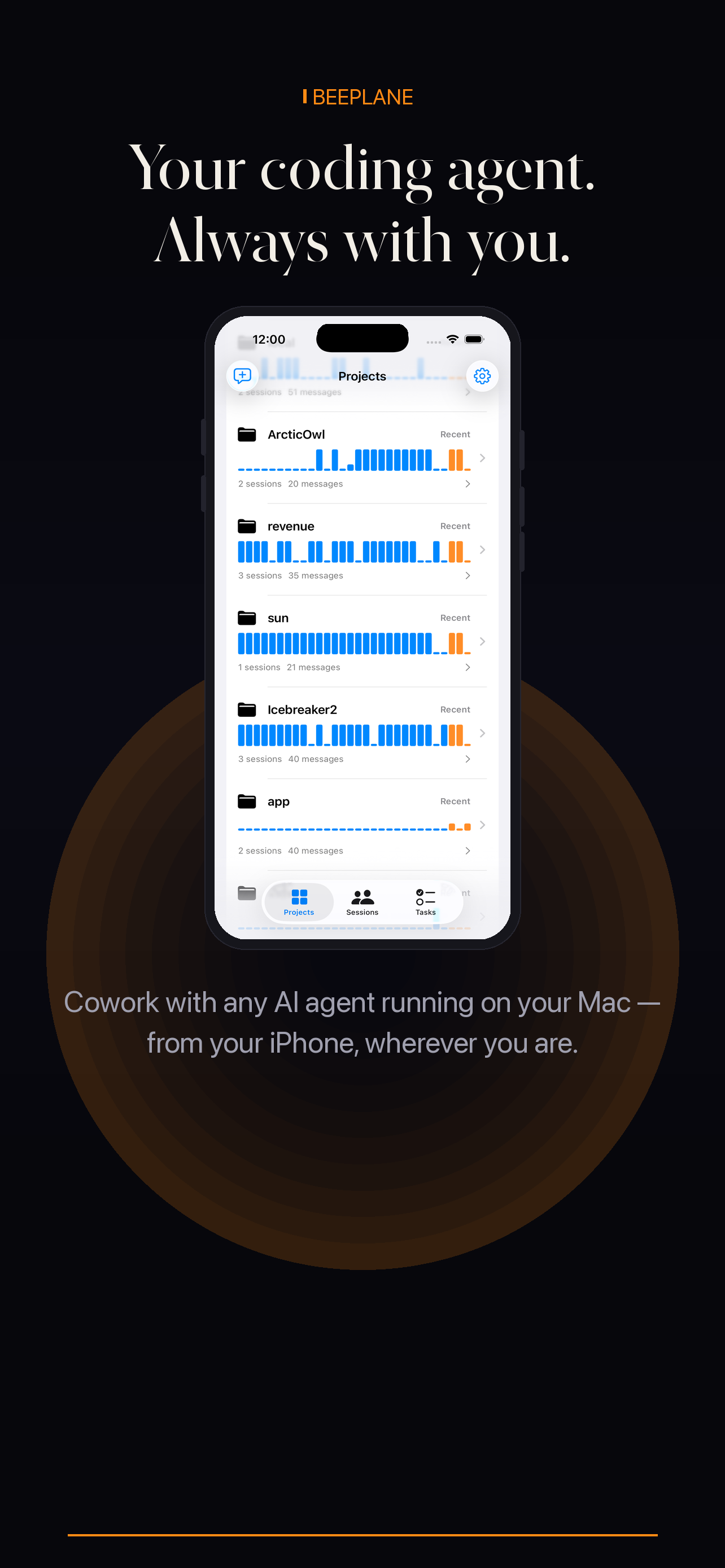
Every running agent session across every project, with what it is doing, how long it has been active, and whether it needs input.
Conversation search across sessions and projects, so any decision, error, or approach is findable in seconds.
Describe a task once — Beeplane recommends the session that already has the context to pick it up.
See every running agent session across all your projects — what it's working on, how long it's been active, and whether it needs input.
Reply to a stuck agent, redirect the work, or give new instructions — straight from your phone. No need to open your laptop.
Read the complete session transcript — every message, tool use, and response — so you always know exactly what the agent did.
Track context size, output tokens, and cache activity per session. Know when a session is getting expensive before it matters.
Connect directly over Wi-Fi when you're home, or through an encrypted relay when you're out. No VPN required, no cloud storage.
Your session transcripts and source code never leave your devices. The relay only passes encrypted request payloads — it never stores them.
Whether you run Claude Code, Codex, or OpenCode, Beeplane keeps the session on your Mac or Linux machine while giving you a clear way to monitor progress and reply from your phone. Start with the workflow that matches how you build.
Keep Claude Code running on your computer and check sessions, approvals, and token usage from iPhone or Android.
Supervise Codex CLI runs remotely, answer questions in context, and keep an eye on long-running work.
Bring projects, transcripts, replies, and token usage together when several agents are working at once.
Your code and transcripts stay on your machines. Pair over Wi-Fi or use the encrypted relay when you are away.
Install the Beeplane Mac app or Linux daemon. It watches your agent sessions and makes them available to your paired phone.
On the same Wi-Fi network, scan the QR code or paste the pairing token. The iPhone or Android app connects directly to your Mac or Linux machine.
Enable the encrypted relay to connect from any network. Your machine stays the source of truth and the relay does not store session data.
Check session progress from your phone, answer when an agent needs direction, and continue from the full transcript.
Speak a task — Beeplane figures out which session to route it to based on what each agent already knows. No need to remember which project lives where.
Beeplane currently supports Claude Code, Codex CLI, and OpenCode sessions on macOS and Linux.
No. A lightweight daemon watches sessions in the background. Check in and reply from your phone.
Nowhere. Transcripts stay on your devices. The relay passes encrypted payloads and never stores them.
Free to download. Works with Claude Code, Codex, OpenCode, and other agents on macOS or Linux.